How to Track Wedding Vendor Payments Without Losing Your Mind


You've booked the venue, chosen a photographer, tasted cake at three bakeries, and somehow agreed to let your partner's cousin DJ the reception. Congratulations. You're deep in wedding planning. But here's the part nobody warns you about: keeping track of who you've paid, how much, and when the next instalment is due.
Missed deposits, double payments, and last-minute surprises are some of the most common and most stressful wedding planning mistakes. This guide walks through exactly how to track your vendor payments so nothing slips through the cracks. And your budget stays intact.
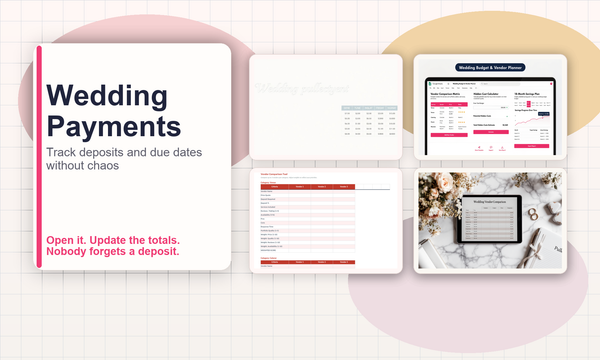
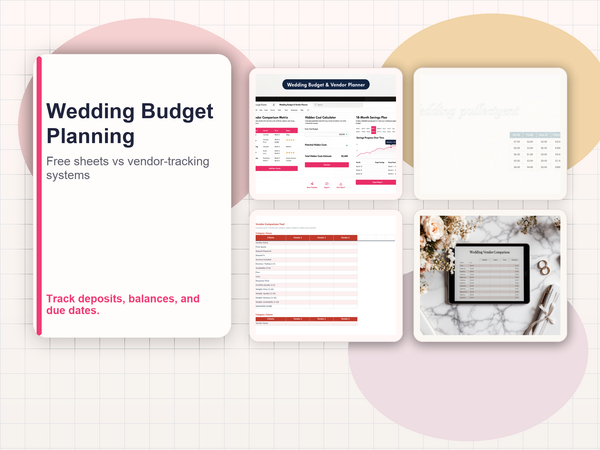
Want to skip the setup? Grab the Wedding Budget & Vendor Planner for $4.99 on Payhip -- it's ready to use today.
Why Vendor Payment Tracking Matters More Than You Think
The average UK wedding now costs over £20,000, and most of that money flows to between 8 and 15 different vendors. Each one has their own payment schedule: some want a 50% deposit upfront, others bill in thirds, and a few expect full payment on the day.
Without a clear system, you end up with:
- Missed deadlines that risk losing your booking entirely
- Budget confusion where you think you have more left than you do
- Duplicate payments when one partner pays without telling the other
- No paper trail if a vendor disputes what's been paid
A single missed £500 deposit can cascade into a full vendor cancellation three months before your wedding day. It happens more often than you'd think.
The Problem with Notes Apps and Bank Statements
Most couples start tracking payments the same way: a shared note on their phone, or just checking the bank app. This works fine when you've only booked one or two vendors. But by the time you're juggling a florist, caterer, photographer, videographer, DJ, venue, celebrant, cake maker, hair stylist, and transport, it falls apart fast.
Bank statements show what left your account. They don't show:
- What's still owed to each vendor
- When the next payment is due
- Whether a payment was a deposit, second instalment, or final balance
- How your total spending compares to your original budget
You need a dedicated system. It doesn't have to be complicated.
What a Good Vendor Payment Tracker Looks Like
At minimum, your tracking system should cover these five things for every vendor:
- Vendor name and service category (venue, catering, photography, etc.)
- Total quoted price. The full amount you've agreed to pay
- Payment schedule. Deposit amount, instalment dates, final balance due date
- Payments made so far. Date, amount, and method (bank transfer, card, cash)
- Outstanding balance. What's still owed, calculated automatically
Bonus points if your system also shows a summary overview: total budget, total committed, total paid, and total remaining. That way you can see your full financial picture without adding everything up manually. If you want a template that already does this, the Wedding Budget & Vendor Planner covers all of it out of the box.
Wedding Apps vs. Spreadsheets: Which Actually Works?
Wedding planning apps like Hitched, Bridebook, and The Knot all offer budget tracking features. They're polished, they look nice, and they're free to start. So why would anyone use a spreadsheet instead?
Here's what app users consistently run into:
- Rigid categories. The app decides what your budget categories are. If your wedding doesn't fit the mould, you're stuck
- Limited payment tracking. Most apps let you mark a vendor as "paid" or "not paid" but don't support multiple instalments per vendor
- Data locked in. Your budget data lives inside someone else's app. If they shut down or change their pricing, it's gone
- Feature creep. You came for budget tracking but now you're getting notifications about table plan tools you'll never use
Spreadsheets win because they're completely flexible. You add the rows you need, track payments exactly how they happen in real life, and keep full control of your data. The trade-off is that building a good one from scratch takes time. Which is why purpose-built templates exist.
Setting Up Your Payment Tracker in 20 Minutes
Whether you build your own or use a template, here's the process:
Step 1: List Every Vendor
Go through your bookings and write down every vendor you've contacted, quoted, or confirmed. Include the ones you haven't booked yet. You'll want to compare quotes side by side.
Step 2: Enter Quoted Prices and Payment Terms
For each vendor, record the total price and break down the payment schedule. Most vendors will have this in their contract or booking confirmation email.
Step 3: Log Every Payment You've Already Made
Go back through your bank statements and match each wedding-related payment to a vendor. Record the date, amount, and method.
Step 4: Set Up Reminders for Upcoming Payments
Flag any payments due in the next 30 days. If you're using a spreadsheet, conditional formatting can highlight upcoming due dates automatically.
Step 5: Review Weekly
Block out 15 minutes every Sunday to update your tracker. Log new payments, check upcoming due dates, and make sure your remaining budget still covers everything outstanding.
A Spreadsheet Template That Does the Heavy Lifting
If building a tracker from scratch sounds like another item on an already-too-long to-do list, the Wedding Budget & Vendor Planner from BoredTools handles exactly this.
It's a spreadsheet template (works in Excel and Google Sheets) that gives you:
- A full budget dashboard. Total budget, amount allocated, paid so far, and remaining at a glance
- Vendor-by-vendor payment tracking. Log deposits, instalments, and final balances with dates and payment methods
- Quote comparison columns. Compare up to three quotes per vendor category before committing
- Automatic calculations. Outstanding balances, category totals, and over/under budget flags update as you go
- A payment timeline view. See what's due this month and next without scanning every row
It costs $4.99. That's roughly 0.024% of the average UK wedding budget. You'll recover that the first time it catches a missed payment before it becomes a problem.
Get the Wedding Budget & Vendor Planner →
Five Common Vendor Payment Mistakes (and How to Avoid Them)
1. Not Getting Payment Terms in Writing
Verbal agreements about "pay the rest closer to the date" are a recipe for disputes. Always get the full payment schedule confirmed in the contract or a follow-up email.
2. Forgetting About VAT
Some vendors quote excluding VAT. Always confirm whether the price you've been given is the final price, and record the VAT-inclusive figure in your tracker.
3. Paying the Wrong Amount
It sounds obvious, but when you're making bank transfers to multiple vendors with similar amounts, it's easy to send £1,200 instead of £1,020. Double-check every transfer against your tracker before hitting send.
4. Ignoring Cancellation and Refund Terms
Know what happens if a vendor cancels or if you need to change your plans. Record the cancellation terms alongside the payment schedule so you're never caught off guard.
5. Not Keeping Receipts
Screenshot or save every payment confirmation. If a vendor claims they haven't been paid six weeks before your wedding, you'll want proof immediately. Not a frantic search through your inbox.
Final Thought: Track It Now, Thank Yourself Later
Wedding vendor payments aren't difficult to manage. They're difficult to remember to manage. The couples who avoid budget blowouts aren't necessarily more organised people. They just have a system that does the remembering for them.
Set up your tracker today. Update it weekly. And when your wedding day arrives, you'll be thinking about your vows. Not whether you forgot to pay the florist.
Need a head start? The Wedding Budget & Vendor Planner is ready to use out of the box. Also worth reading: the best wedding budget spreadsheets in 2026 and the full product details page.
Choose the right next step
The Wedding Budget & Vendor Planner is a wedding vendor payment tracker spreadsheet for budgets, deposits, due dates and final balances in one place.