Budget Template for Couples: How to Manage Money Together
Budget template for couples. Handle split expenses, shared goals, and individual spending without the arguments. Get the template.

Money is the number one thing couples argue about. Not because they're bad with money. But because they've never agreed on a system.
One person saves, the other spends. One tracks every penny, the other checks the balance and wings it. Sound familiar? A shared budget spreadsheet won't fix everything, but it removes the biggest source of friction: not knowing where the money is going.
Here's how to set up a couples budget that handles shared expenses, individual spending, and joint goals. Without turning every Sunday into a financial performance review.
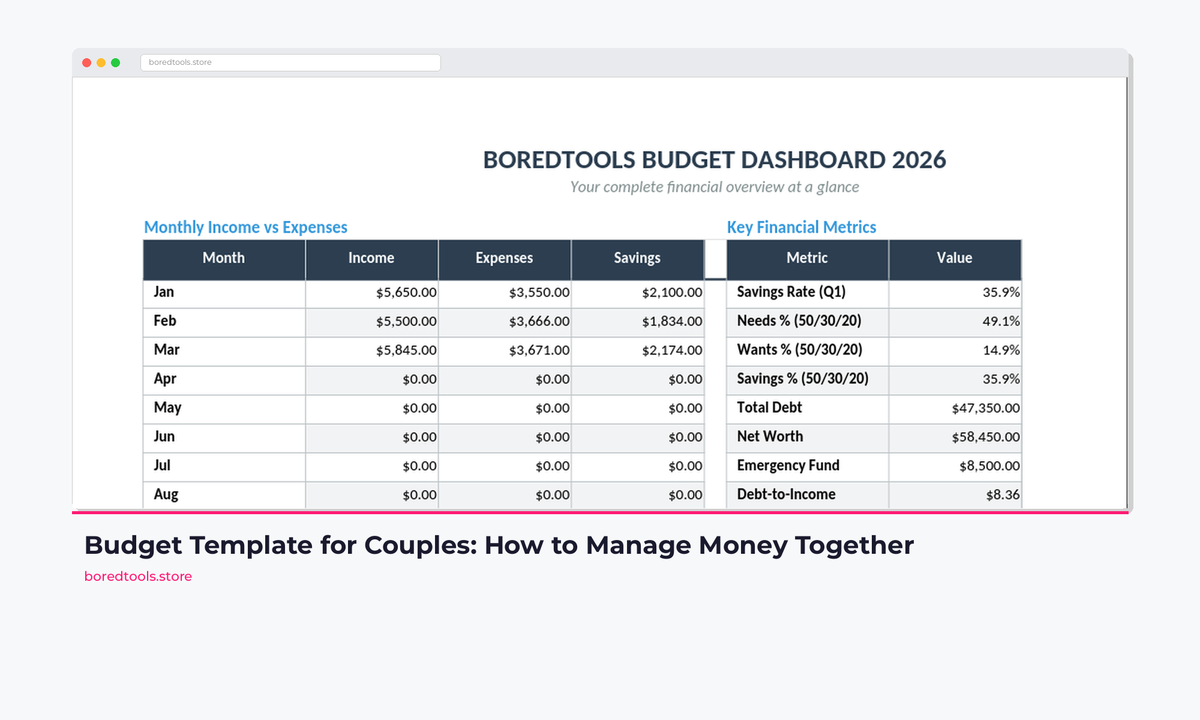
Get the Budget Dashboard 2026, couples mode included → ($7.99 on Payhip)
The Three Money Problems Couples Face
1. The Fairness Problem
"We split everything 50/50" sounds fair until one partner earns £55,000 and the other earns £30,000. Suddenly, 50/50 means one person has £500/month in discretionary income and the other has £50.
Solution: Proportional contributions. Each partner contributes a percentage of their income to shared expenses rather than a fixed amount. If you earn 65% of the household income, you cover 65% of shared costs.
2. The Control Problem
Nobody wants to ask permission to buy a £40 book. When every purchase gets scrutinized, the budget becomes a tool of control rather than a tool of clarity.
Solution: Individual discretionary budgets. After shared expenses and savings are covered, each person gets a "no questions asked" amount. Spend it on whatever you want. Don't report it. Don't justify it.
3. The Visibility Problem
"I thought you were saving for that." "I didn't know you spent that much on subscriptions." Most money arguments come from surprises. And surprises come from not having a shared view of where money goes.
Solution: A shared spreadsheet both partners can access. Not an app that only one person opens. A Google Sheet that lives in both your phones' home screens.
What a Couples Budget Template Needs
A basic budget template won't cut it for two people. Here's what you actually need:
Dual Income Tracking
Both incomes listed separately, with a clear combined total and each person's percentage contribution.
Shared vs. Individual Expenses
Three categories of spending:
- Shared fixed. Rent, utilities, insurance, groceries
- Shared variable. Dining out together, holidays, gifts for friends
- Individual. Each person's personal spending
Proportional Split Calculator
A formula that automatically calculates each person's fair share based on income. If Partner A earns 60% of the household income, the spreadsheet shows Partner A's share of the £1,200 rent as £720 and Partner B's as £480.
Joint Savings Goals
Space to track shared goals with progress bars:
- Emergency fund (target: 3-6 months of shared expenses)
- Holiday fund
- House deposit
- Wedding fund
- Car replacement fund
If you're just starting out together, the newlyweds budget template covers the first-year setup in more detail.
Individual Discretionary Tracking
A section where each person sees their own remaining "fun money" for the month without the other person auditing it.
Setting It Up in Google Sheets
Step 1: Combined Income Dashboard
| A | B | C | |
|---|---|---|---|
| 1 | HOUSEHOLD INCOME | ||
| 2 | Monthly | % of Total | |
| 3 | Partner A (name) | 3,400 | =B3/B5 |
| 4 | Partner B (name) | 2,200 | =B4/B5 |
| 5 | Combined | =B3+B4 | 100% |

Each partner's income and percentage contribution are calculated automatically. Change one number and every split updates.
The percentage column drives the proportional split for everything below.
Step 2: Shared Expenses with Auto-Split
| A | B | C | D | |
|---|---|---|---|---|
| 7 | SHARED EXPENSES | Total | Partner A (61%) | Partner B (39%) |
| 8 | Rent / Mortgage | 1,200 | =B8*$C$3 | =B8*$C$4 |
| 9 | Utilities | 180 | =B9*$C$3 | =B9*$C$4 |
| 10 | Groceries | 400 | =B10*$C$3 | =B10*$C$4 |
| 11 | Internet | 45 | =B11*$C$3 | =B11*$C$4 |
| 12 | Car Insurance | 120 | =B12*$C$3 | =B12*$C$4 |
| 13 | Streaming (shared) | 35 | =B13*$C$3 | =B13*$C$4 |
| 14 | Total Shared | =SUM(B8:B13) | =SUM(C8:C13) | =SUM(D8:D13) |
Every shared expense splits automatically based on income percentage. Change either income number at the top and every split updates instantly.
The Budget Dashboard 2026 has this proportional calculator pre-built. You just enter your incomes and it handles the rest.
Grab the Budget Dashboard 2026 on Payhip for $7.99.99 →
Step 3: Joint Savings Goals
| A | B | C | D | |
|---|---|---|---|---|
| 16 | SAVINGS GOALS | Target | Saved | Progress |
| 17 | Emergency Fund | 10,000 | 4,200 | =C17/B17 |
| 18 | Holiday 2026 | 3,000 | 1,800 | =C18/B18 |
| 19 | House Deposit | 25,000 | 6,500 | =C19/B19 |
| 20 | Monthly Savings Target | 800 |
Format the Progress column as a percentage and add a data bar (conditional formatting, "Color scale"). Or use a SPARKLINE formula for in-cell progress bars:
=SPARKLINE(C17/B17, {"charttype","bar";"max",1;"color1","#34A853";"color2","#EEEEEE"})
Step 4: Individual Discretionary Budgets
This section is what keeps the peace.
| A | B | D | E | ||
|---|---|---|---|---|---|
| 22 | PARTNER A | Amount | PARTNER B | Amount | |
| 23 | Discretionary Budget | 400 | Discretionary Budget | 300 | |
| 24 | Spent This Month | 215 | Spent This Month | 180 | |
| 25 | Remaining | =B23-B24 | Remaining | =E23-E24 |
The discretionary budget for each person comes from what's left after shared expenses and savings contributions. Here's the formula:
Partner A's discretionary:
= Partner A income - Partner A's share of shared expenses - Partner A's share of savings
Whatever remains is theirs. No justification needed. Buy the video game. Get the fancy coffee. It's already budgeted.
Step 5: Monthly Summary Tab
Create a second tab called "Monthly Summary" that pulls everything together:
| Category | Budget | Actual | Status |
|---|---|---|---|
| Combined Income | 5,600 | 5,600 | On track |
| Shared Expenses | 1,980 | 1,845 | Under budget |
| Joint Savings | 800 | 800 | On track |
| Partner A Discretionary | 400 | 215 | Under budget |
| Partner B Discretionary | 300 | 180 | Under budget |
| Unallocated | 2,120 | 2,560 | +440 surplus |

The monthly summary pulls everything together. Green means on track, red means over budget.
How to Actually Use It Together
The Monthly Money Meeting (15 Minutes)
Pick one day per month. First Saturday after payday works well. Sit down together with the spreadsheet open and cover three things:
- Last month: Were you under or over budget? Any surprises?
- This month: Any unusual expenses coming up? (Car service, birthday gifts, etc.)
- Goals: How are your savings goals tracking?
That's it. 15 minutes. Keep it short, keep it positive, keep it focused on the numbers. Not on who bought what.
Rules That Prevent Arguments
The notification threshold. Agree on an amount, say £100, above which you give the other person a heads up before spending from shared money. Not asking permission. Just a heads up.
No retroactive budgeting. Don't go back and criticize last month's spending. The budget is forward-looking. If something needs to change, change it for next month.
Review the system, not the person. If the grocery budget keeps getting blown, the budget is wrong. Not the person doing the shopping. Adjust the number to match reality, then tighten from there.
Equal discretionary amounts (optional). Some couples prefer equal fun money regardless of income, since the higher earner already covers more of the shared costs. This is a values conversation, not a maths one.
What About Different Account Structures?
Fully Joint (One Joint Account)
Everything goes into one account. The spreadsheet tracks categories, and individual discretionary money goes into separate accounts or gets tracked on the sheet.
Works best for: Married couples with similar money habits.
Yours, Mine, Ours (Three Accounts)
Each person has a personal account. A joint account handles shared expenses. Each person transfers their proportional share to the joint account on payday.
Works best for: Couples who value financial independence but share core costs.
Fully Separate (No Joint Account)
One person pays rent, the other pays utilities, and you settle up monthly using the spreadsheet.
Works best for: New relationships or couples who prefer total independence.
The spreadsheet works with all three structures. The proportional split calculator tells each person what they owe toward shared expenses, regardless of which account the money comes from.
If you want to go further with your budgeting, the 50/30/20 rule template gives a solid framework for splitting spending into needs, wants, and savings once the joint structure is in place.
Related Reads
- Budget Dashboard 2026: The Full Couples Spreadsheet
- The 50/30/20 Budget Rule: Free Google Sheets Template
- Budget Template for Newlyweds
- How to Track Your Net Worth in Google Sheets
- Debt Payoff Calculator: Snowball vs Avalanche Method
Get the Template
A basic couples budget sheet takes about 20 minutes to build from the steps above. But if you want something that's ready to go, the Budget Dashboard 2026 includes a couples mode with proportional income splitting, individual discretionary tracking, joint savings goals with progress bars, and a shared summary dashboard. One-time purchase, yours to keep.
UK edition built for British finances: HMRC Self Assessment categories, council tax tracking, National Insurance (Class 2 and Class 4) calculations, ISA allowances, and GBP formatting throughout. US edition included with IRS tax brackets, 401(k) tracking, and USD formatting.
It also includes debt payoff tracking and net worth monitoring, which matter more the further you plan ahead together.
Get the Budget Dashboard 2026 for $7.99 on Payhip →
Get free spreadsheet templates and updates. New templates, feature updates, and practical guides delivered to your inbox. No spam, unsubscribe anytime.
Subscribe free → | Already have a template? Download the free budget tracker or free meal planner. No email required.
Choose the right next step
Need a simple budget tracker spreadsheet? Start with the Free Budget Tracker. Use Budget Dashboard 2026 when you want budgets, debt, savings and net worth in one workbook. Choose the Complete Collection when several parts of life admin need sorting.